Everyone adds their own calendar. The app does the maths.
-
1Pick your calendars
Tick the calendars that block your time, a partner's shared one included, and set the hours you're awake.
-
2Invite the family
Send a link or show a QR code. Each person picks their own calendars on their own iPhone.
-
3Plan the call
Pick a time. Two Horizons adds a one-hour event to your calendar with reminders and texts the others an invite.
Ten to twelve hours apart, and it keeps moving
Sweden and New Zealand change their clocks in opposite directions, on different weekends. Two Horizons works in each person's own time zone, so the times it lists stay right all year.
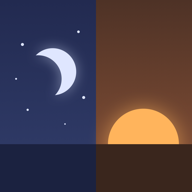
Late October to late March. Sweden is on winter time, New Zealand on summer time.
Your calendar stays on your phone
The family never sees your calendar. The app shows them only the times when everyone is free.
To work those out, the start and end of your busy times are shared with the group through iCloud, rounded to the half hour. Titles, places, notes and guests stay on your iPhone. Two Horizons has no server of its own, no account to make, and can't read them.
If someone's phone hasn't synced for 14 days, the app stops listing them as free.
Free for iPhone, coming soon
Two Horizons started with one family split between Sweden and New Zealand. It's coming to the App Store for every family and group of friends, and you can be in as many groups as you like.
 Two Horizons for iPhoneiOS 17 or later, in English and Swedish
Coming soon
When it's out, tap Try with sample people to see it work before you invite anyone.